BETTER CODE · S510 HANDHELD TIJ
Handheld inkjet date coder
S510
Ready to print. In your hands.
A handheld inkjet date coding printer. Print manufacturing dates, expiry dates, lot numbers and QR codes with the flexibility you need for batch production and changing workstations.
S510 AT A GLANCE
Compact and flexible
Essential production data. One portable printer.
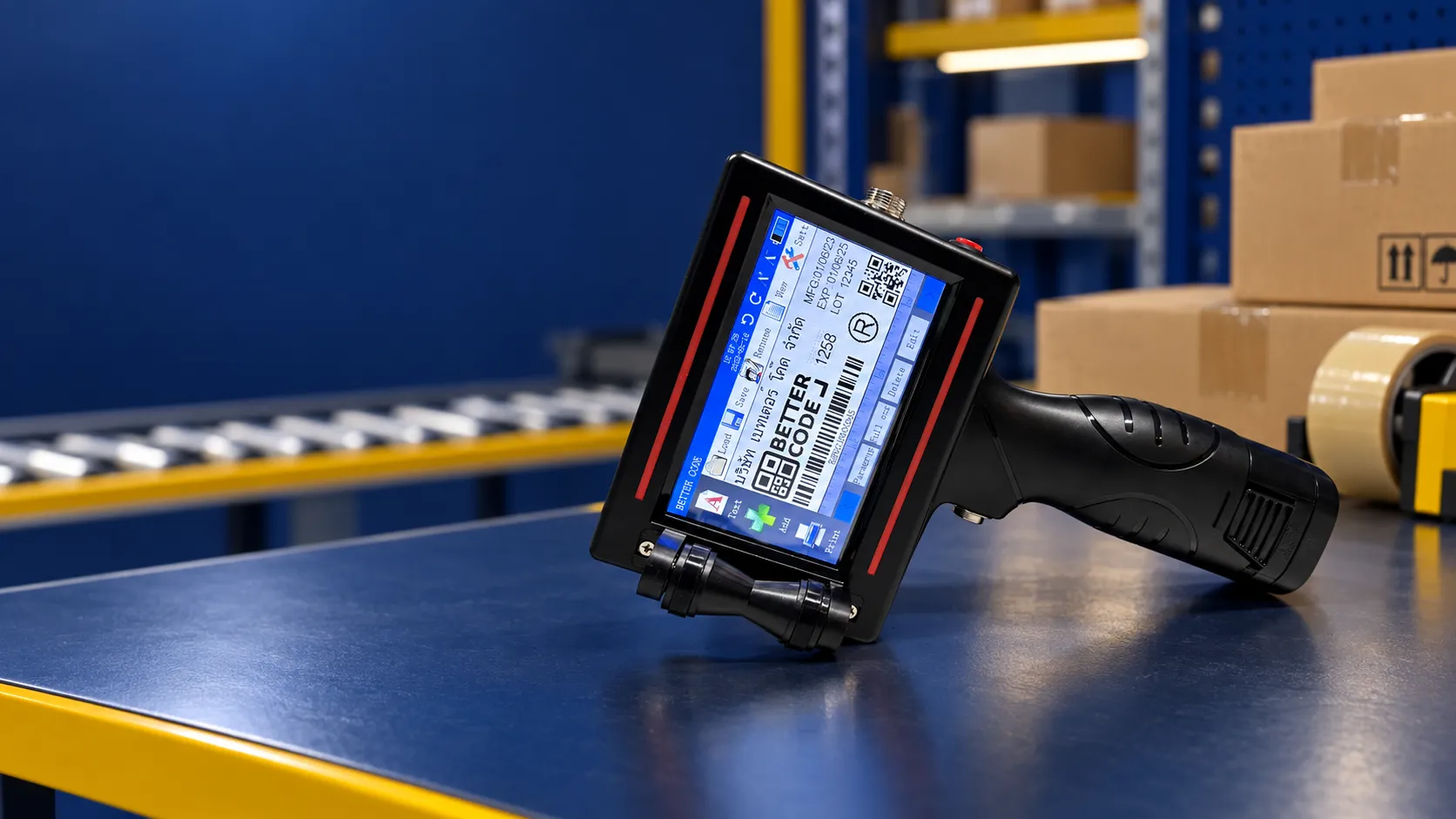
The S510 is a handheld thermal inkjet printer. Create and edit messages on its touchscreen, with support for fixed text and variable production data.
Source: Better Code S510 Brochure 2026, referencing the S510 manual. Print height depends on the printhead type; resolution depends on the settings.
* The maximum 40 m/min is a specified printing speed, not a guaranteed manual production throughput.
Key advantages of the S510 handheld inkjet date coder
- Sharp print: 300 / 600 dpi depending on settings, for text, dates, lot numbers, serial numbers, barcodes and QR codes
- Quick-drying, water-resistant inks: ink options matched to the material, such as paper, plastic, glass and metal; test actual samples before use
- Easy to use: 4.3-inch colour touchscreen with a Thai-language menu and print preview
- Variable data: import data from TXT / Excel files
- Portable: approx. 0.65 kg with a 2,600 mAh battery
CREATE · PREVIEW · PRINT
Change the message quickly
Ready for the next batch
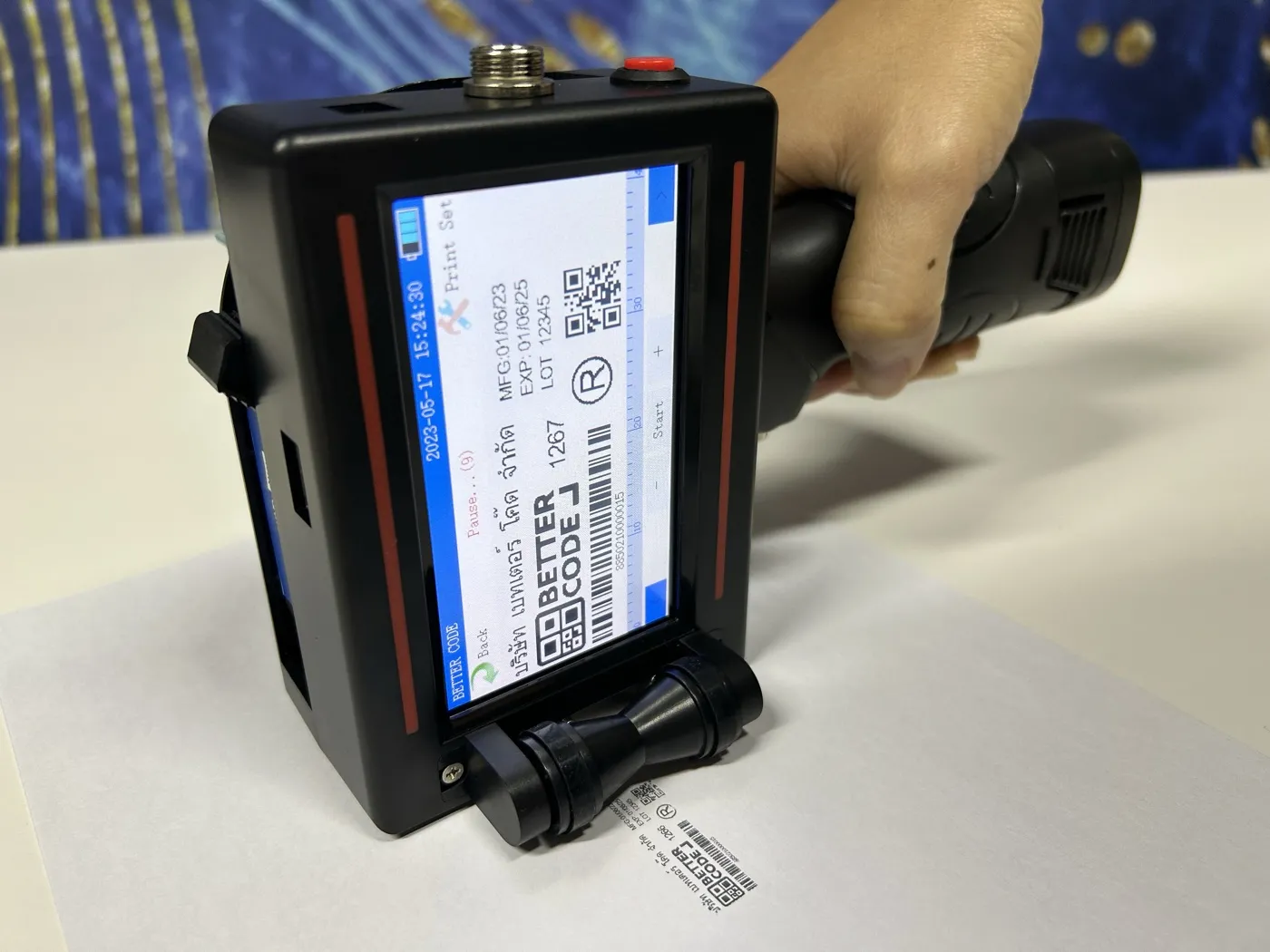
Edit on screen. Preview before printing.
A 4.3-inch colour touchscreen for creating, arranging and previewing print messages.
The production information you need
Text, dates, time, lot numbers, serial numbers, barcodes and QR codes.
Variable data support
Import data from TXT and Excel files. Send a sample file so our team can check its format before use.
FIND YOUR FIT
Start with your application
Choose the right printer for your work
Assess the material, print area and workload together to select a suitable printer, printhead and ink.
Update information for each production run
For jobs requiring different manufacturing dates, expiry dates or lot numbers for each batch, with printing controlled by the operator.
Bring the printer to the product
A handheld format makes it easier to move between workstations. Grip clearance, print direction and surface characteristics must be assessed together.
Real materials give clearer answers
Cartons, pouches and plastics have different surfaces. Let our team test print clarity, drying and ink adhesion on your actual samples.
Need continuous conveyor printing? Compare CIJ printers and TIJ Printers or explore handheld printers to find the right approach for your application. See conveyor date coding for installation.
S510 · QUESTIONS & ANSWERS
Questions to ask before choosing the S510
What type of printer is the S510?
The S510 is a handheld inkjet printer using TIJ technology for text, dates, time, lot numbers, serial numbers, barcodes and QR codes. It suits batch jobs and applications where the printing position needs to move.
For products moving continuously on a conveyor, assess a line-mounted CIJ, TIJ or laser system instead. Compare date coding printers by application →
What is a handheld inkjet date coder, and how does it differ from a conveyor model?
A handheld inkjet date coder is held by hand and swiped across the area to be printed, which suits SMEs, batch work and printing points that move. A conveyor (inline) inkjet printer mounts the print head beside the conveyor and prints automatically as products move continuously, which suits higher-volume factories. See TIJ printers, the S500 conveyor printer and CIJ printers.
Does the S510 have a Thai-language menu and quick-drying ink?
Yes. The S510 has a 4.3-inch colour touchscreen with a Thai-language menu, and quick-drying, water-resistant inks are available to match materials such as paper, plastic, glass and metal. Send actual samples to Better Code to test clarity, drying and adhesion before choosing an ink.
What print height and resolution does the S510 offer?
The brochure specifies 12.7 or 25.4 mm print height, depending on the printhead, and 300 or 600 dpi resolution, depending on settings. Confirm your print area before selecting the printhead.
Can it print on cartons, pouches and plastics?
Select an ink compatible with the material and test actual samples first. Clarity, drying and adhesion depend on the ink, surface and settings; packaging type alone is not enough to choose an ink.
Can the S510 import Excel data?
Yes. The brochure lists TXT and Excel support for variable data. Send sample data and the intended print layout for our team to check before use.
What does the maximum speed of 40 m/min mean?
It is the printing speed specified in the brochure based on the manual, not a guaranteed number of manually printed items per hour. Actual results depend on movement, the product and settings.
How do I request S510 pricing and a print test?
Contact Better Code on +66 2 170 9611 or LINE @bettercode. Send photos of the material, required print data, print area and daily workload so we can assess the printer, printhead and ink.
BY BETTER CODE
The right print
starts withyour product
Let Better Code match the S510, printhead and ink to your application. Send a product photo and discuss your requirements before choosing a printer.