Types of Machine Vision Cameras: 5 Types Compared and How to Choose
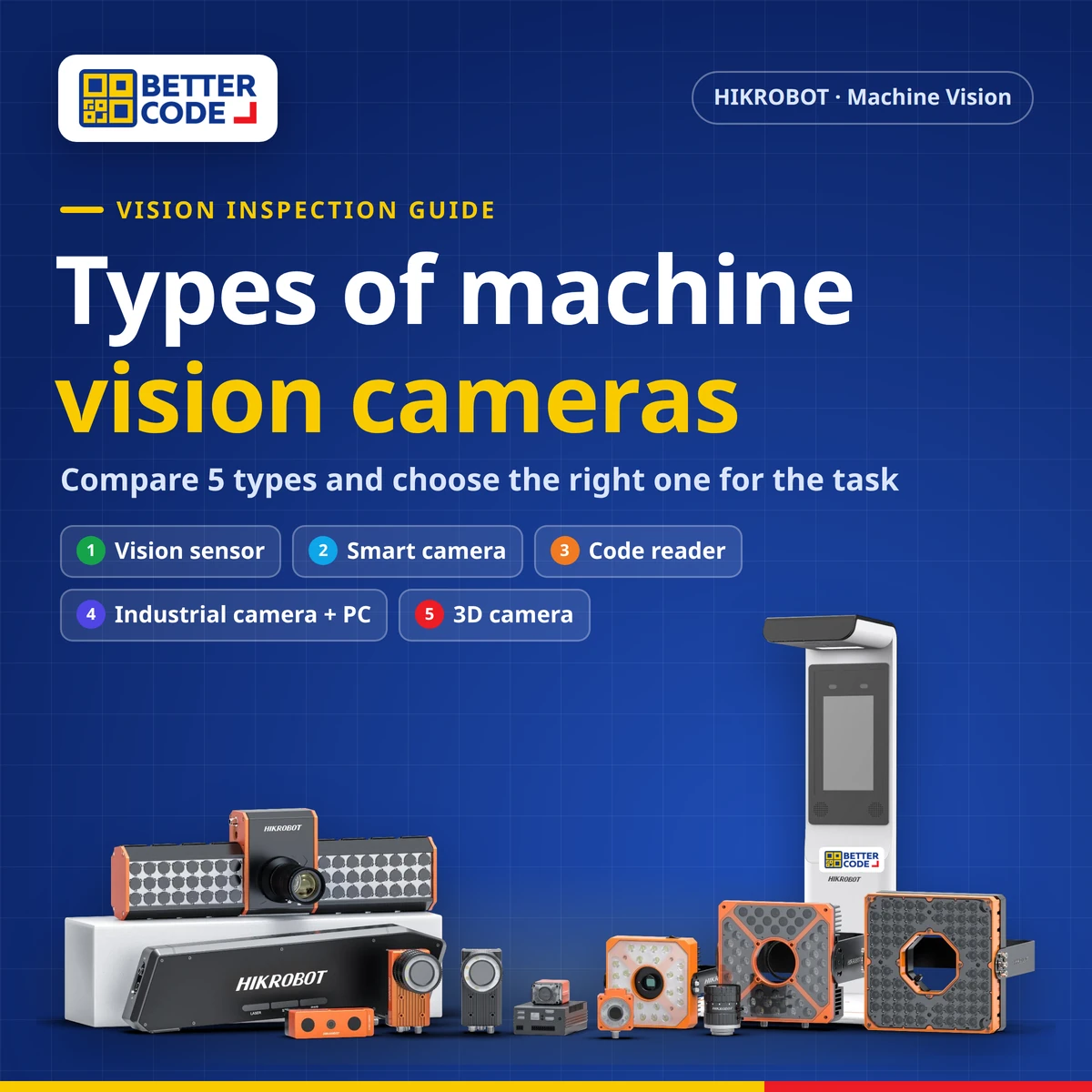
Machine vision inspection cameras come in five main types: 1) vision sensors for simple single-point checks, 2) smart cameras with built-in processing, 3) code readers for barcodes, QR codes and Data Matrix, 4) industrial cameras with a PC (PC-based vision systems) for complex, multi-camera or deep learning tasks, and 5) 3D cameras for height, volume and shape. Grouped by task, there are four application areas: guidance, inspection, gauging and identification. Choose by the inspection task, line speed, part size and number of inspection points.
What is a machine vision inspection camera?
A machine vision inspection camera is an industrial camera system that captures images of parts on a production line and uses vision software to make a decision: where the part is, whether it has a defect, whether its dimensions are within tolerance, or whether its code reads correctly. The result, OK or NG, is sent to a PLC to reject the part or raise an alarm.
Whatever the type, every vision system has the same core parts: a lens, a camera, lighting, vision software and communication with the machine. The types differ in where processing happens, how complex the inspection can be and how flexibly components can be changed. For the first steps of a project, see How to Start Selecting a Factory Inspection Camera.
Read more: for scratches, cracks and surface defects, see defect detection cameras, and for dimensional checks see dimension measurement cameras. For sorting that signals the PLC, see vision OK/NG sorting. For AI-based inspection, see AI vision inspection with deep learning.
What are the types of machine vision cameras?
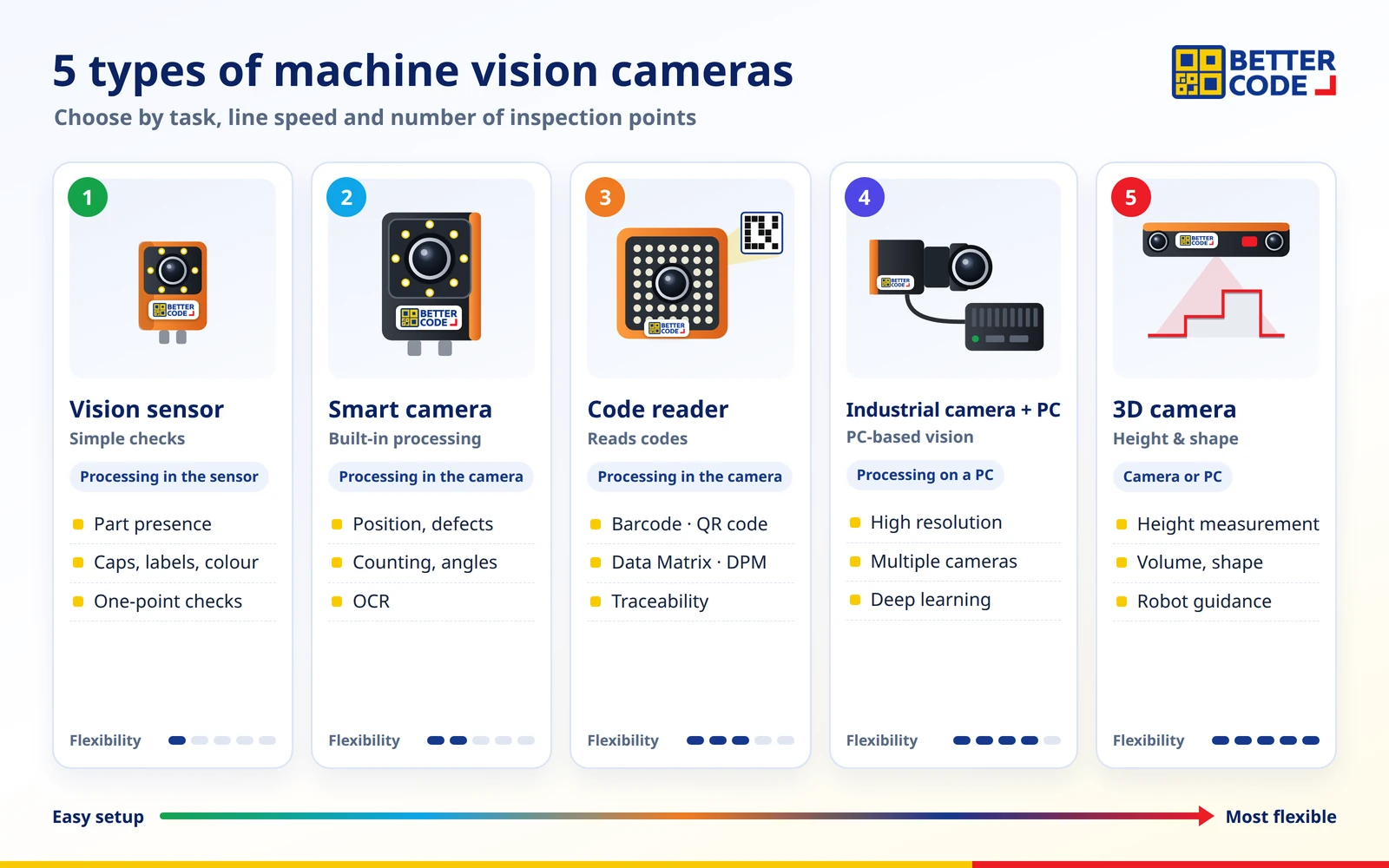
By system architecture, factory inspection cameras fall into five main types, from the simplest to set up to the most flexible.
1. Vision sensor
A vision sensor is a compact camera that behaves like a sensor. It is quick to set up and checks one clear condition at one point, returning pass or fail: part present or missing, cap fitted, label applied or colour correct. It suits plants starting with vision or replacing ordinary sensors that cannot see detail. Its limit is a smaller set of image analysis tools than a smart camera.
2. Smart camera
A smart camera has its processor and vision software built in, so no separate PC is needed. It can check several conditions in one image, such as position, defects, counting, angle measurement and character reading (OCR), and send OK/NG directly to a PLC, signal tower or buzzer. It stores multiple recipes for different products and communicates over I/O, TCP, UDP, serial, Modbus, PROFINET or EtherNet/IP.
Smart camera examples from HIKROBOT case documents include liquid level checks in medicine bottles, bottle cap inspection on high-speed lines, bottle counting and label checks, dot-print code reading on chocolate packs, scratch and label position checks on phone back covers at 300 parts per minute, and gear shifter angle measurement within ±2 degrees. Where a part is larger than one field of view, several units can cover it together.
3. Code reader
A code reader is a camera designed specifically to read codes: barcodes, QR codes and Data Matrix, including direct part marks (DPM) on PCBs, metal parts and automotive components. It is the basis of traceability from raw materials to finished goods. Options range from compact readers and readers with mechanical auto-focus and built-in lighting to high-resolution, wide-field models that read many codes at once in logistics.
In a HIKROBOT PCB case, where codes had to be read on boards of many colours and thicknesses at 120 boards per minute, a code reader with controllable lighting and automatic parameter switching by board type achieved an average 2D read rate of 99%, with IP67 protection. Note that not every code reader supports OCR; if you also need to read text, choose a model that does or use a smart camera.
4. Industrial camera with PC (PC-based vision system)
A PC-based vision system connects industrial cameras to an industrial PC running vision software such as HIKROBOT Vision Master. It suits high-resolution work, several cameras at once, custom operator screens and deep learning, and cameras and lenses can be changed to fit the task. These cameras come as area scan models that capture a frame, and line scan models that scan line by line for long continuous products or large surfaces.
HIKROBOT case examples include measuring the ID, OD, height and width of gearbox parts to 60 microns across 360 degrees, inspecting and measuring helmets at 60 parts per minute, chain assembly verification, multi-line OCR on medicine boxes, and deep learning steel bar counting at 99.98% accuracy (32,990 counted correctly, 8 missed).
5. 3D camera
A 3D camera captures height or depth data in addition to a 2D image, so it can measure height, volume, flatness or shape that an ordinary camera cannot separate: dented, swollen or overlapping parts, or guiding a robot to pick randomly piled parts (2D and 3D picking). It suits tasks where colour or contrast differences are not enough to tell good parts from bad.
Comparing machine vision camera types
| Type | Processing | Best for | Flexibility |
|---|---|---|---|
| Vision sensor | In the sensor | Presence, caps, labels, colour at one point | Low; easiest to set up |
| Smart camera | In the camera | Several checks: position, defects, counting, OCR, angles | Medium; easy install, no PC |
| Code reader | In the camera | Barcodes, QR codes, Data Matrix, DPM for traceability | Specialised; fast, reliable reading |
| Industrial camera + PC | Industrial PC | High resolution, multiple cameras, fine measurement, deep learning | Highest; camera, lens and software can change |
| 3D camera | Camera or PC | Height, volume, shape, robot guidance | High; for tasks 2D images cannot solve |
By task: what can inspection cameras do?
Another way to group vision is by task. HIKROBOT’s introduction to machine vision lists four key application areas: guidance, inspection, gauging and identification. Each tends to suit different camera types.
| Task | Factory examples | Typical camera type |
|---|---|---|
| Defect and scratch detection | Cracks, stains, bubbles, surface flaws | Smart camera or PC-based (+ deep learning for varied defects) |
| Dimension measurement | Diameters, gaps, angles, heights | Smart camera for general work · PC-based for fine accuracy · 3D for height |
| Code and character reading | Barcodes, QR codes, dates, lot numbers (OCR) | Code reader or smart camera with OCR |
| Assembly verification | All parts present, screws fitted, correct orientation | Vision sensor for one point · smart camera for several |
| OK/NG sorting and counting | Reject defects, count packs, separate models | Smart camera or PC-based signalling a PLC |
| Guidance and robot picking | Alignment, pick-and-place, positioning | Smart camera or PC-based · 3D for 3D picking |
For a packaging code example, read Date Code Inspection Cameras with OCR, and for inspection combined with barcode reading, see Machine Vision Inspection and Barcode Reading.
How to choose a machine vision camera type
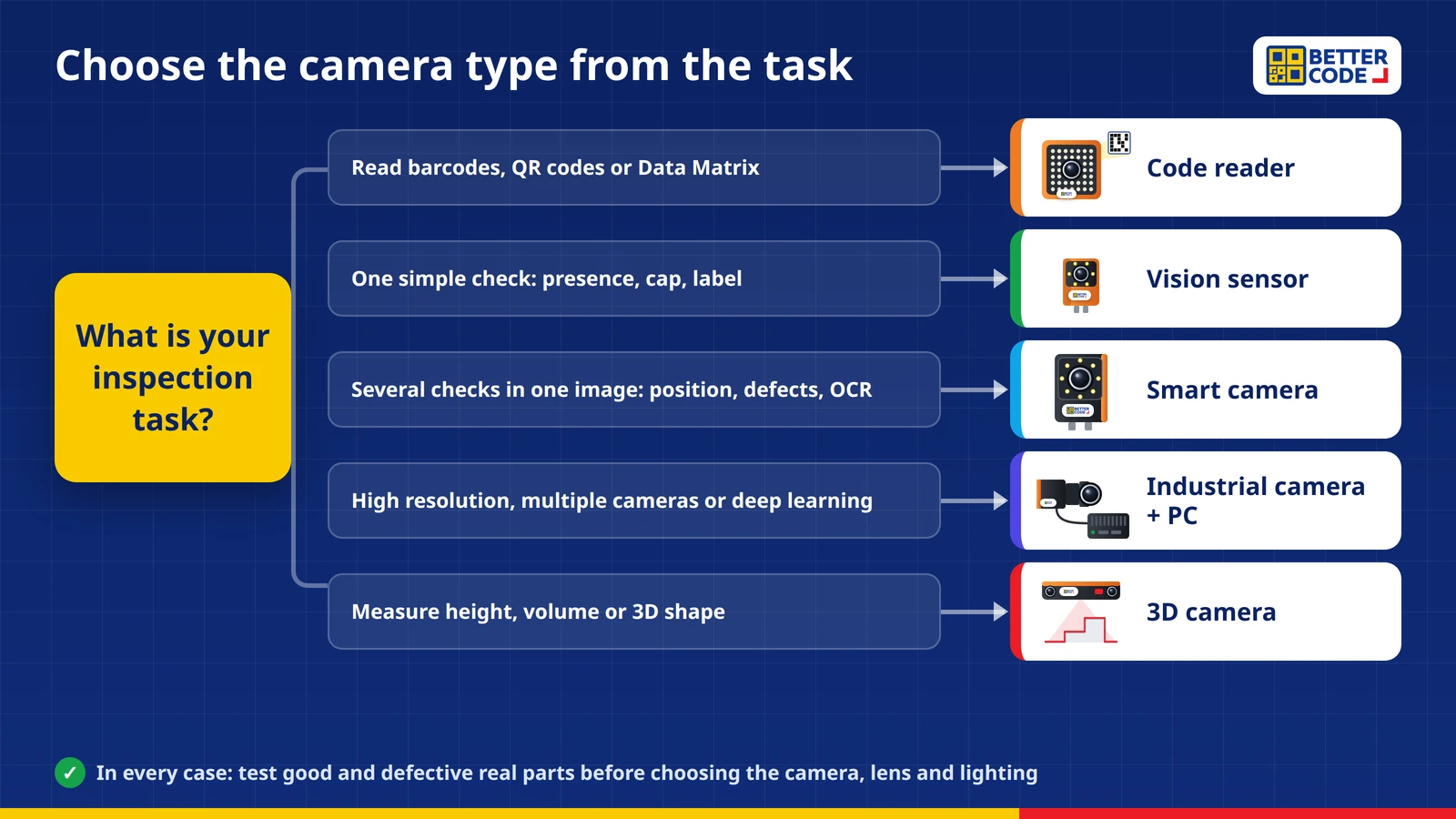
- Define the task clearly: what to check, how good and bad parts differ, and what the system must do when it finds a bad part.
- Check part size and the smallest detail to set the field of view and resolution. Large parts with tiny defects may need a high-resolution camera, several cameras or line scan.
- Check line speed: parts per minute affect exposure and processing time.
- Check surface and lighting: glossy, transparent film or reflective metal needs the right light and camera angle.
- Check integration: which protocol sends results to the PLC, and whether images or data must be stored.
- Test real parts, both good and defective, before deciding on the camera type, lens and lighting.
Smart camera vs PC-based vision: what is the difference?
Short answer: a smart camera combines the camera and processing in one unit, is easy to install and compact, and suits clear inspections at one point. A PC-based system connects industrial cameras to a computer, allows flexible camera and lens choices, and handles multiple cameras, high resolution and deep learning better, but needs more space and system design. Many plants use both, depending on the inspection point.
Summary
There are five main machine vision camera types: vision sensors, smart cameras, code readers, industrial cameras with a PC and 3D cameras. Start simple checks with a vision sensor, use a smart camera for several conditions, a code reader for codes, a PC-based system for high-resolution or deep learning work, and a 3D camera for height or shape. Better Code, the official HIKROBOT distributor in Thailand, assesses your task, tests real parts and selects the right camera type for your line.
Frequently asked questions about machine vision camera types
How many types of machine vision cameras are there?
By system architecture there are five main types: vision sensors, smart cameras, code readers, industrial cameras with a PC (PC-based vision systems) and 3D cameras. By task there are four areas: guidance, inspection, gauging and identification.
What is a smart camera?
An inspection camera with its processor and vision software built in, so no separate PC is needed. It checks several conditions in one image, such as position, defects, counting and OCR, and sends OK/NG directly to a PLC.
What is the difference between a vision sensor and a smart camera?
A vision sensor focuses on simple checks at one point and is quick to set up. A smart camera has more image analysis tools, checks several conditions, measures dimensions and reads characters, so it suits more complex tasks.
Can a code reader read text (OCR)?
Some models can, but not all. Code readers are designed mainly for barcodes, QR codes and Data Matrix. If you also need to read dates or lot numbers, choose a model that supports OCR or use a smart camera.
Do I need deep learning for every inspection?
No. Tasks with clear rules, such as position checks or measurement, work with standard vision tools. Deep learning helps when defects vary, shapes are irregular or backgrounds change often, and it needs sample images for training.
What is a 3D camera used for?
Measuring height, volume, flatness and 3D shape, and guiding robots to pick randomly placed parts. It suits tasks where a 2D image cannot separate good parts from bad.
Where can I buy HIKROBOT inspection cameras in Thailand?
Contact Better Code (Better Code Co., Ltd.), the official HIKROBOT distributor in Thailand, via LINE @bettercode or +66 2 170 9611. The team helps choose the camera type from your part photos and requirements, and provides testing, installation and after-sales support.
Sources
- HIKROBOT – Introduction to Machine Vision: four key application areas (guidance, inspection, gauging, identification) and vision system components
- HIKROBOT – Smart Product Application Cases (Dec 2021): smart camera and PC-based vision cases in food, pharmaceutical, electronics and automotive industries
- HIKROBOT – Industrial Code Reading (2020): code reader cases in PCB, automotive parts, food, pharmaceutical and logistics
- HIKROBOT – Deep Learning Application Case Set (2021): counting, classification, character recognition and defect detection cases
Not sure which camera type your line needs?
Send photos of good and defective parts, your line speed and what you need to check. Better Code will assess the task and select a HIKROBOT camera, lens and lighting, then test with your real parts.